01
Capture
Record or import
Use an existing audio or video file, record your microphone, or capture macOS system audio where supported.
Record or import meetings, transcribe them locally, create structured summaries, and ask what was said — without a meeting bot or a required cloud transcription service.
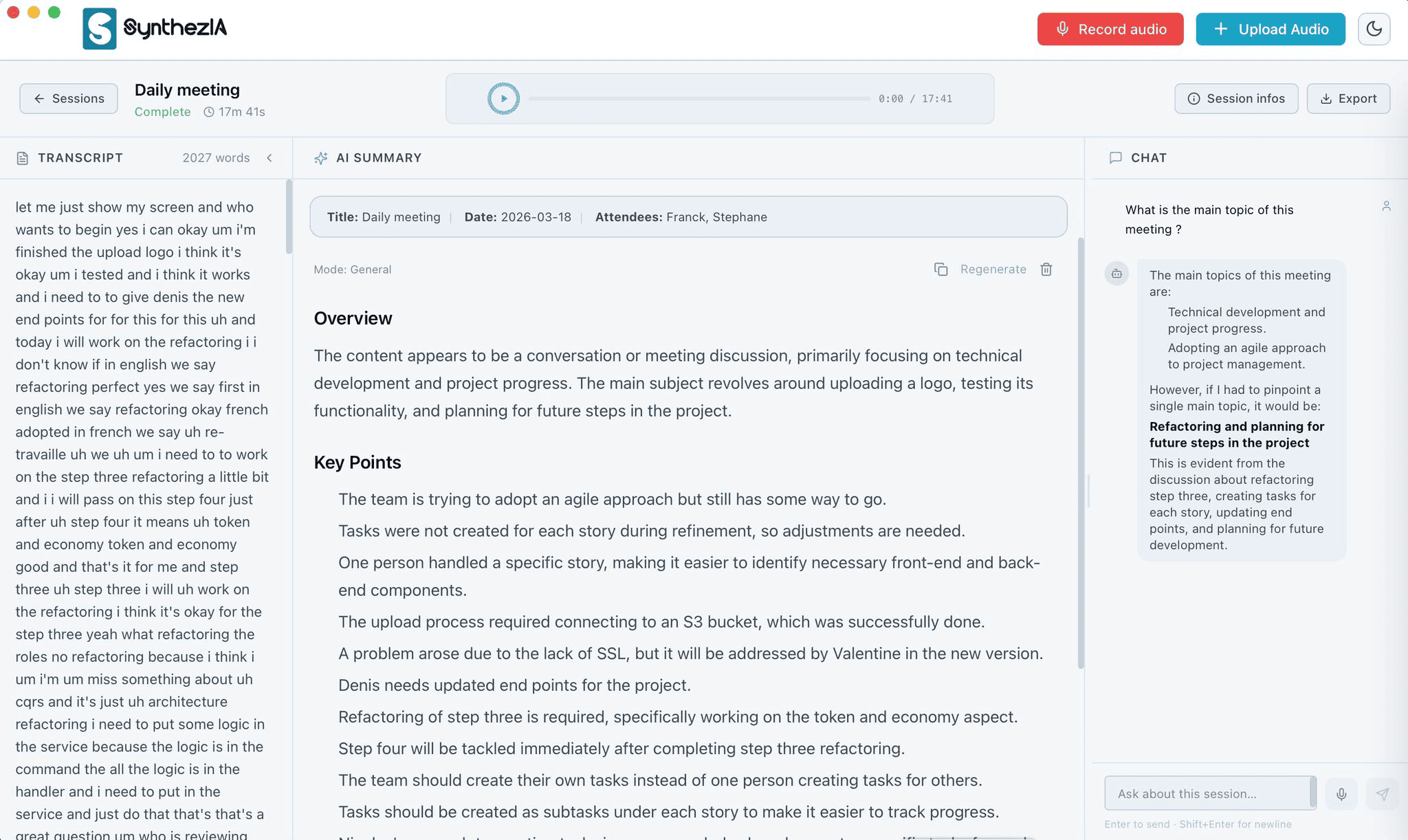
One conversation, all the context
Synthezia turns a recording into local, structured knowledge you can revisit instead of another file you never open again.
Capture
Use an existing audio or video file, record your microphone, or capture macOS system audio where supported.
Understand
Your recording is prepared and transcribed directly on your Mac, without uploading it to a transcription service.
Use
Create structured summaries and ask questions against the session with Local Mode.
Recall · Premium
Global Chat finds relevant moments across your meeting history and links answers back to the meetings they came from.
Local-first by architecture
In Local Mode, the core workflow stays on your Mac. Internet access is only needed for initial model downloads, Premium activation, or an external AI provider you choose to use.
Stored locally
Managed audio and sensitive persistent data use the application’s local storage protections.
Remote is optional
If you connect an external AI provider, Synthezia can send your question and selected meeting context to that provider for the request you make.
Capture & transcription
Transcribe meetings on your Mac without uploading the audio to a cloud transcription service.
Record from your microphone, then turn the recording into a transcript and structured notes.
Capture compatible Mac system audio alongside your microphone when macOS permissions allow it.
Ask questions across your meeting history and jump back to the meetings behind each answer.
Search across your meeting history stays local. If you choose an external AI provider for the final answer, Synthezia can send the question and selected meeting context to that provider.
Explore Global ChatWhat changed about the launch plan this week?
The pricing review moved to Friday. Legal approval is still open, and the launch checklist now includes a customer migration dry run before release.
“…pricing review moved to Friday…”
“…legal approval remains open…”
“…migration dry run before release…”
Free when one meeting is enough. Premium when history matters.
Free
Record or import meetings, transcribe locally, create summaries, and ask questions with no transcription-minute quota.
Premium
Search across your meeting history, customize summaries, export professional documents, and optionally use your own AI provider.
Built for conversations with real context
Client calls, interviews, and internal discussions where a local-first processing path matters.
NDA-bound workshops and executive discussions where decisions need to remain retrievable.
Turn interviews and operational reviews into structured, searchable local knowledge.
Synthezia is a local-first meeting intelligence app for Apple Silicon Macs. You can record or import meetings, transcribe them locally, create structured summaries, ask questions about a meeting, and use Premium Global Chat to search across your meeting history.
Not in Local Mode. Recording, transcription, summaries, meeting chat, and meeting-history search can stay on your Mac. If you choose to connect an external AI provider, Synthezia can send the question and selected meeting context to that provider for the request you make.
No. Synthezia works from recordings created on your Mac or media files you import. It does not need to join a meeting as a participant or bot.
Yes. After the required local models have been downloaded during setup, Local Mode can work offline. Internet access is still needed for model downloads, Premium activation or revalidation, and any external AI provider you choose to use.
Start locally
Free includes the local core workflow. Premium is for the intelligence that compounds across your meeting history.